crab.ac
An open-source community organization platform — communication, coordination, social, and public presence in one place.
crab.ac is a unified platform for running real-world communities: clubs, neighborhoods, coalitions, creative groups, outdoor activity organizations, and more. It brings together real-time chat, forums, calendars, route libraries, media galleries, social profiles, a news feed, blogs, workflow automation, and cross-community linking into a single integrated system.
The platform is especially well-suited for outdoor activity communities (cycling, running, hiking, etc.) but the tools are general-purpose enough for any group that needs to communicate, coordinate, and share with each other and the public.
GitHub | Bluesky | [email protected]
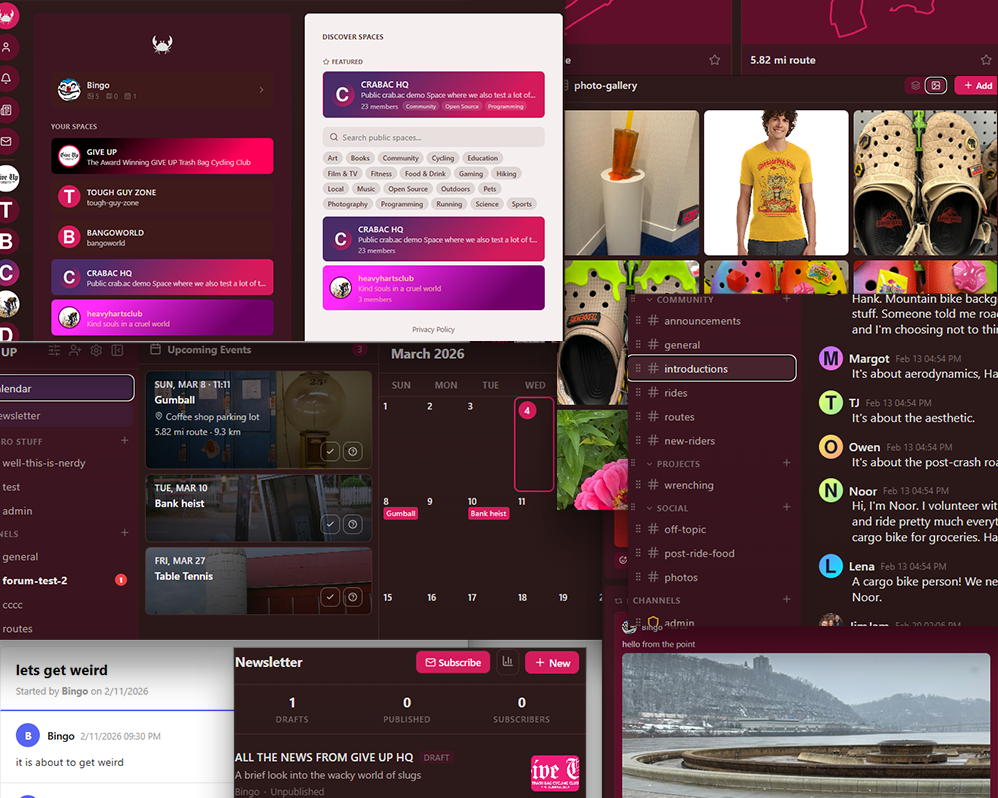
What's New in 0.14.1
- Route builder — draw and edit routes directly on the map with an interactive builder; generate GPX files from drawn routes without needing external tools
- Home screen widgets — the home screen now shows upcoming events from your spaces and recent blog posts/newsletters in carousel and card layouts
- Blog RSS feeds — public blogs now have an RSS 2.0 feed at
/api/boards/blog/:slug/feed.xml, with an RSS icon in the blog header for easy discovery
Previous highlights
- Activity tracking — record runs, rides, walks, and hikes from the mobile app with GPX data; activities appear as rich cards in the social feed with route maps, distance, duration, and elevation stats
- Newsletter system — block editor, email delivery via SES, open/click tracking, subscriptions, daily/weekly digest scheduling
- Workflow engine — trigger-condition-action automations: welcome flows, auto-imports, slash commands, interactive cards, webhooks
- Social profiles & feed — personal galleries, route collections, posts with reactions/comments/reposts, follows, and an aggregated news feed
- ICS calendar feeds — public community calendars with subscribable
.icsendpoints for calendar apps
Why crab.ac?
Community platforms tend to do one thing well and bolt on everything else. crab.ac treats communication, organization, social, and public presence as equal first-class concerns:
- Communication — real-time chat, forums, DMs, slash commands
- Organization — calendars, route libraries, role-based permissions, workflow automation
- Social — user profiles with posts, follows, personal collections, and a news feed
- Public presence — forums, galleries, blogs, calendars, route libraries, and newsletters each independently publishable to the web
- Cross-community — portals that link channels across independent spaces
The result is a single platform where a community can share routes, plan events, post photos, publish a blog, send newsletters, run automated workflows, and maintain social profiles — all without stitching together separate services.
Core Concepts
Spaces
A Space is a community — it has channels, members, roles, and settings. Think of it as a self-contained organization. Spaces can be private (invite-only) or public (discoverable in the directory). Each space has its own admin settings, role hierarchy, calendar, blog, and public web presence.
Channels
Channels live inside spaces and come in several types:
| Type | Purpose |
|---|---|
| Text | Real-time chat with @mentions, reactions, file uploads, GPX rendering |
| Announcement | One-way broadcast from users with Send Messages permission |
| Forum | Threaded discussions with pinning and locking |
| Media Gallery | Photo/video uploads in a grid layout with detail overlay |
| Route Library | GPX route management with maps, stats, categories, and search |
Roles & Permissions
Access control uses a bitfield RBAC system with granular permission flags. Roles are stacked — a member with multiple roles gets the union of all their permissions. The space owner bypasses all checks.
Communication
Real-Time Chat
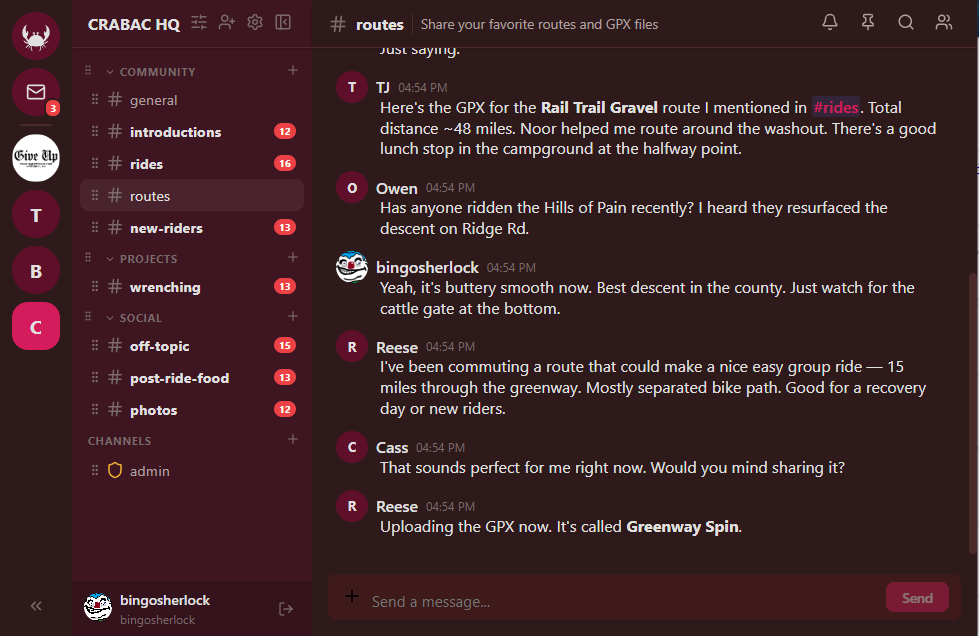
Messages are delivered in real-time via Socket.io with typing indicators, online/idle/offline presence, and emoji reactions. Messages support Markdown (GFM), inline code blocks, file attachments with image previews, and @mention autocomplete (@user, @everyone, @here).
Direct Messages & Group DMs
1:1 and group direct messages with a message request flow for non-friends. Group DMs support up to 10 participants with custom names.
Forums
Forum channels support threaded discussions with pinning, locking, and moderation controls. Forum threads can be exposed as public boards with optional anonymous browsing and lightweight board-only registration.
Slash Commands
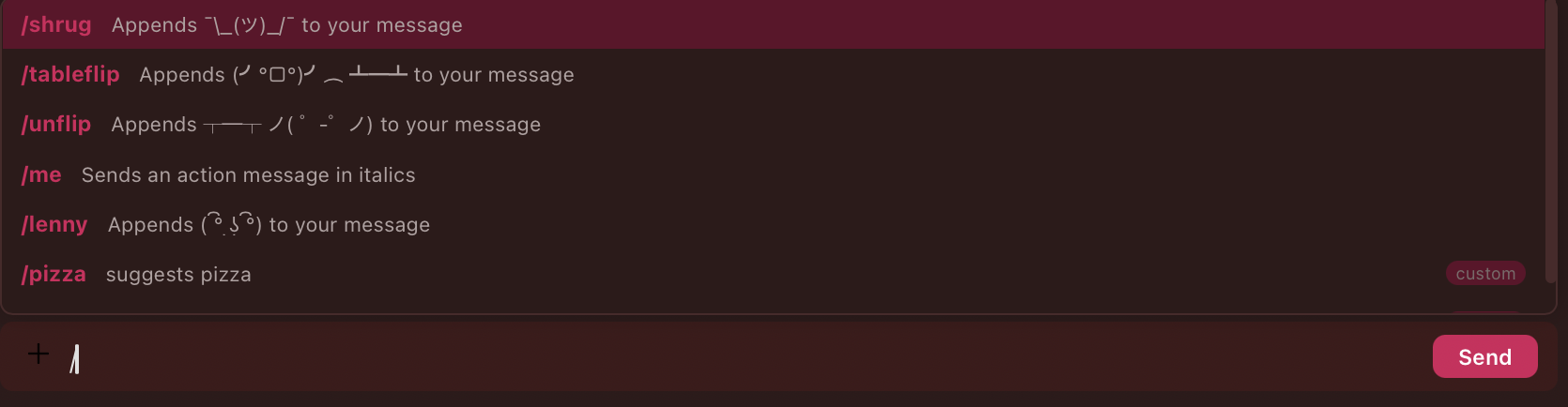
Built-in commands (/shrug, /tableflip, /unflip, /me, /lenny) plus custom commands defined through the workflow system. All commands show an autocomplete palette as you type.
Search
Full-text message search with from:user and in:channel operators.
Social Profiles & Feed
Every user has a personal profile page with social features that work independently of any space.
User Profiles
Each profile includes personal collections (photos, routes, events), social posts, follower/following counts, and customizable branding colors. Profile visibility is configurable: public, friends-only, or private.
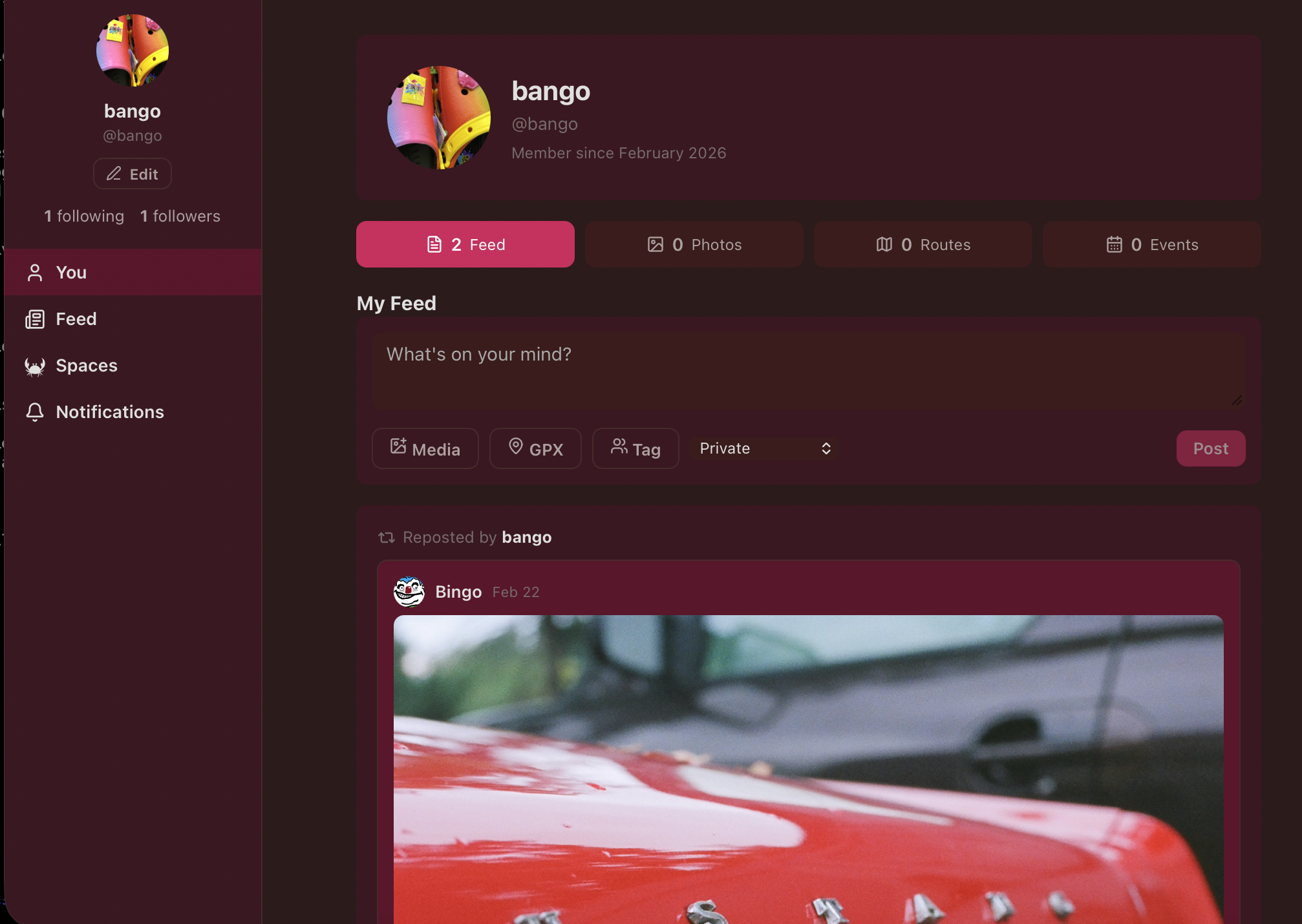
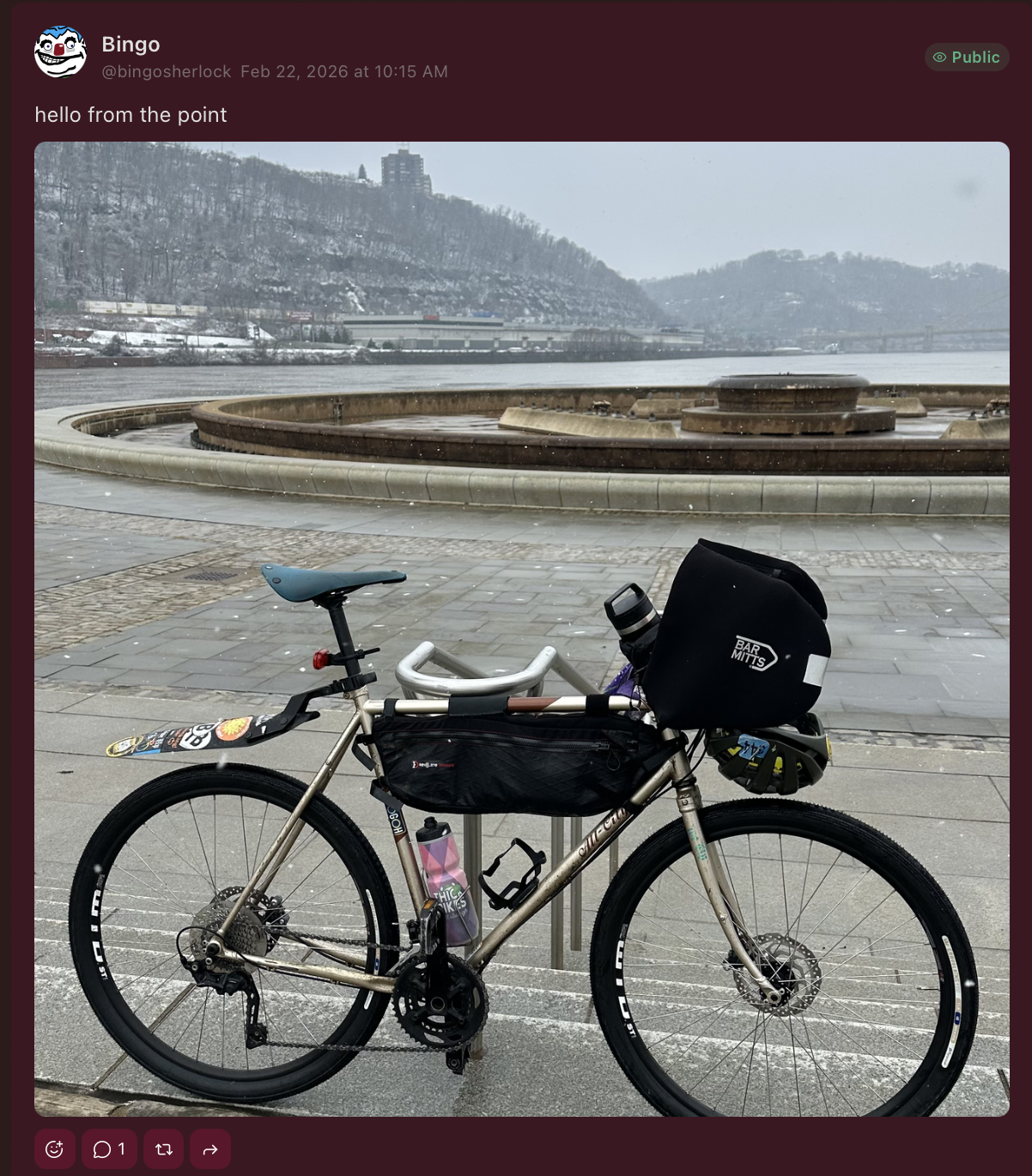
Posts
Users can publish posts with text, photo attachments, route attachments, and friend tags. Posts support reactions, comments, and reposts. Each post has its own visibility setting (public, friends, private).
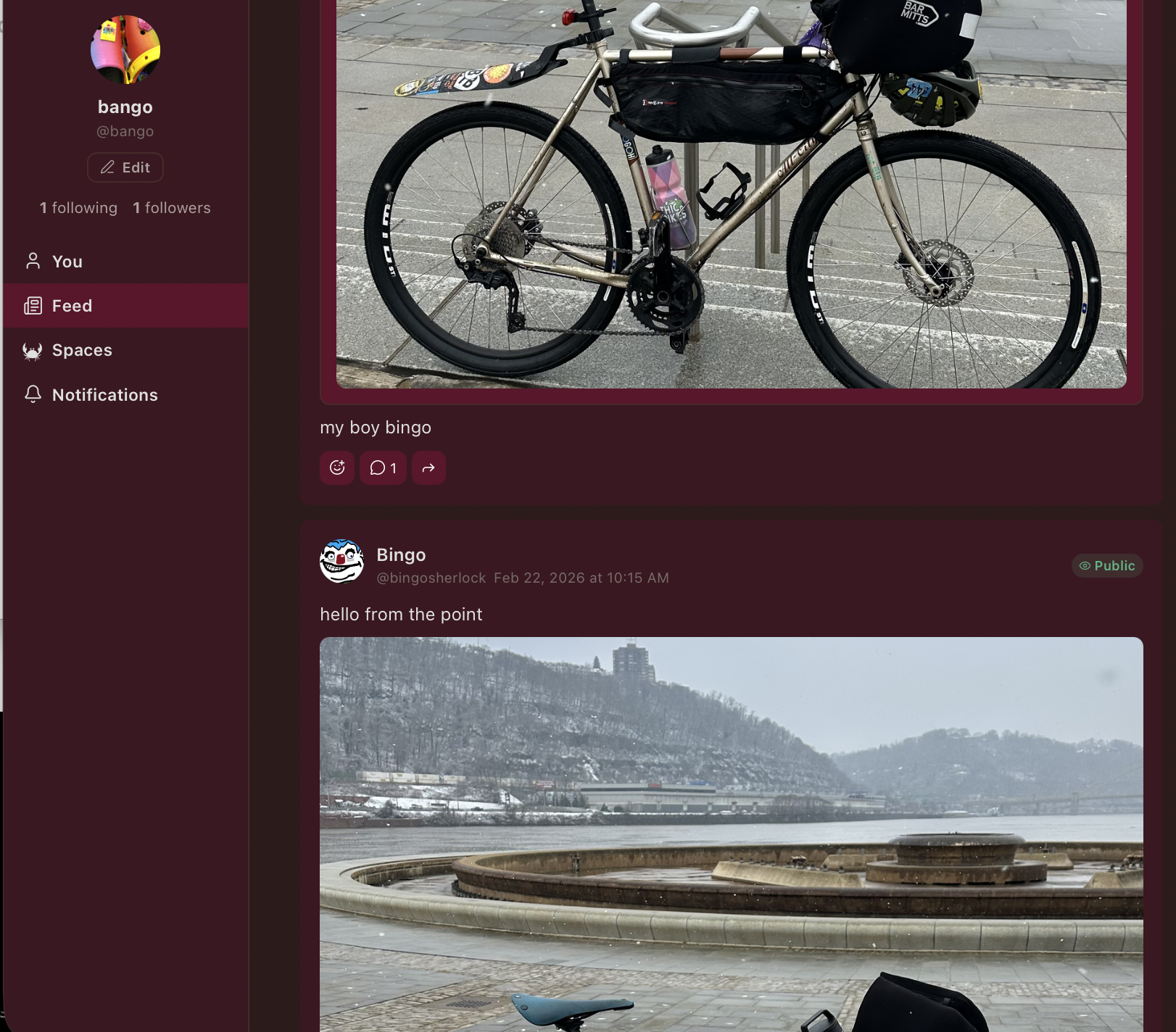
Follows & Feed
One-way follows let users subscribe to public profiles. Friends (mutual, bidirectional) count as implicit follows in both directions. The feed aggregates posts from followed users, friends, and self in reverse chronological order with infinite scroll.
Personal Collections
Users can curate their own photos, routes, activities, and events on their profile — independent of any space. Collection items can be copied into space channels (galleries, route libraries, calendars) when needed, bridging personal and community content.
Activities
Record physical activities (runs, rides, walks, hikes) from the mobile app with GPX data. Activities render as rich cards in the social feed showing an SVG route map, distance, duration, elevation gain, and activity type. Activities can be edited inline from the feed, saved as routes, and aggregated into stats by type and time period.
Community Organization
Community Calendar
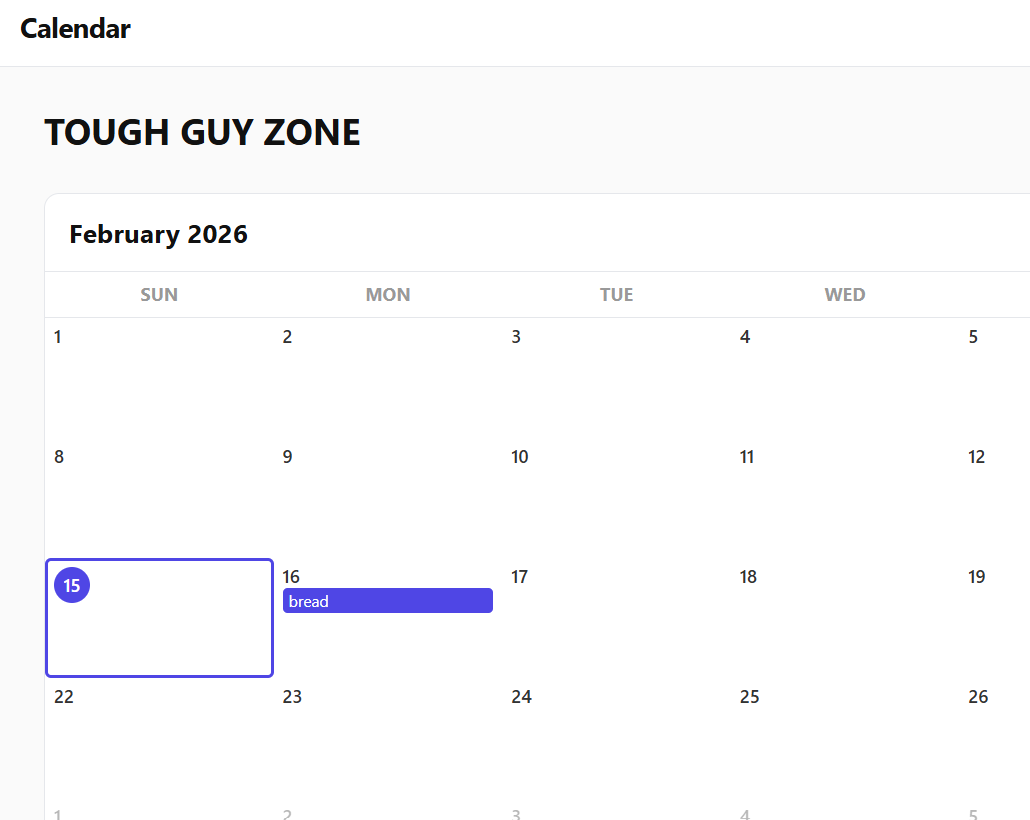
A full month-grid calendar with color-coded event categories, per-event RSVP tracking (going/maybe/not going), location fields, activity type tagging, and direct route linking from the route library.
Recurring events support weekly and monthly recurrence patterns with per-occurrence overrides and cancellations. When an occurrence is cancelled, RSVP'd members get notified automatically.
Route Library
Route library channels are purpose-built for organizing and curating GPS routes. Upload GPX files directly or save them from chat message attachments. Routes are parsed on upload to extract distance, elevation gain/loss, flatness score, and a GeoJSON track for map rendering.
Routes can be:
- Categorized and tagged by activity type (ride/run/walk)
- Starred/favorited by individual members
- Searched and sorted by name, distance, elevation, or flatness
- Viewed in card or table layout
- Linked directly to calendar events (pre-fills location and activity type)
- Made public for a web-facing route catalog
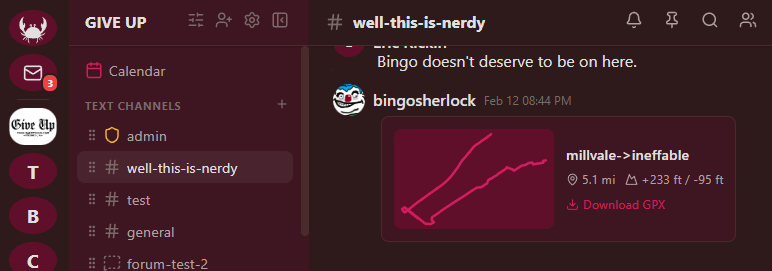
GPX Track Rendering
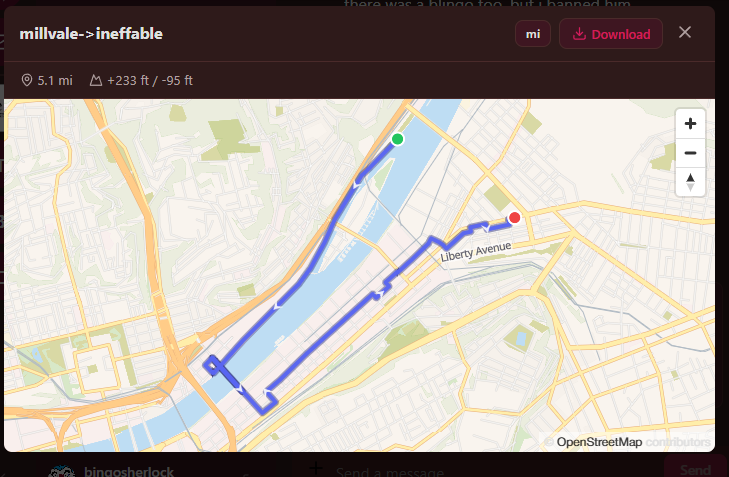
Upload a .gpx file to any text channel and it renders inline as a rich card with an interactive map, distance, elevation gain, and duration. Click to expand into a full map modal with the track plotted on OpenStreetMap tiles via MapLibre GL.
Media Galleries
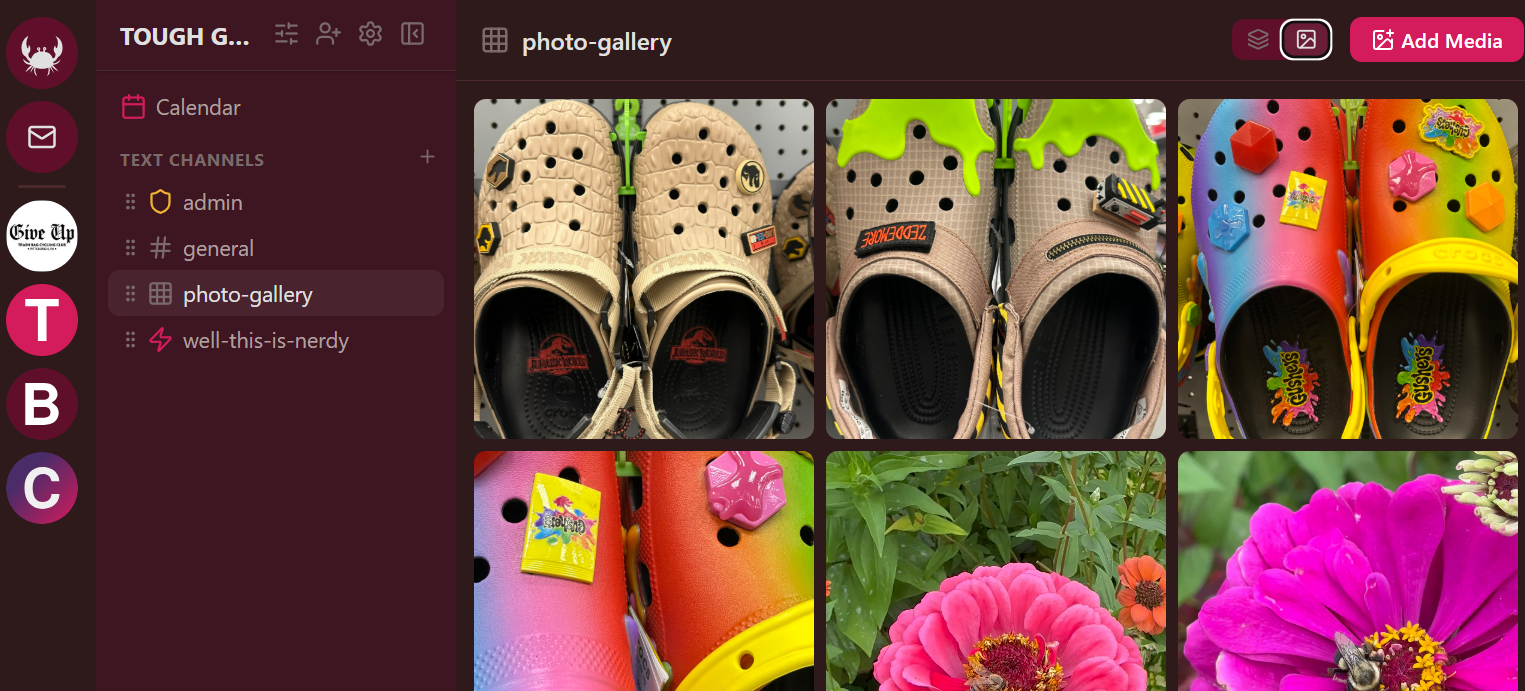
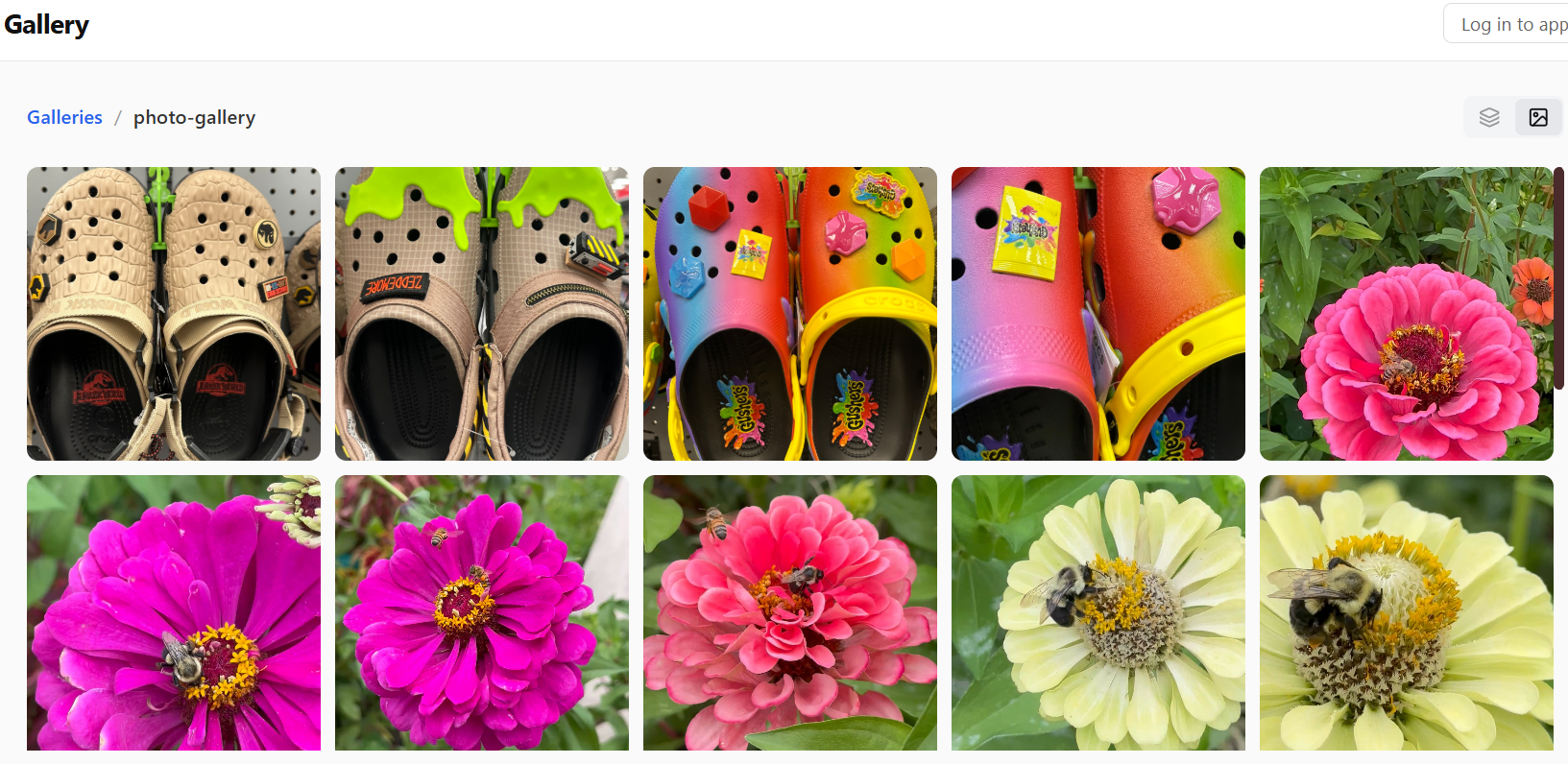
Media gallery channels display uploads in a responsive photo grid with a detail overlay for viewing, navigation, and metadata. Galleries support multi-file uploads with captions.
Community Blog
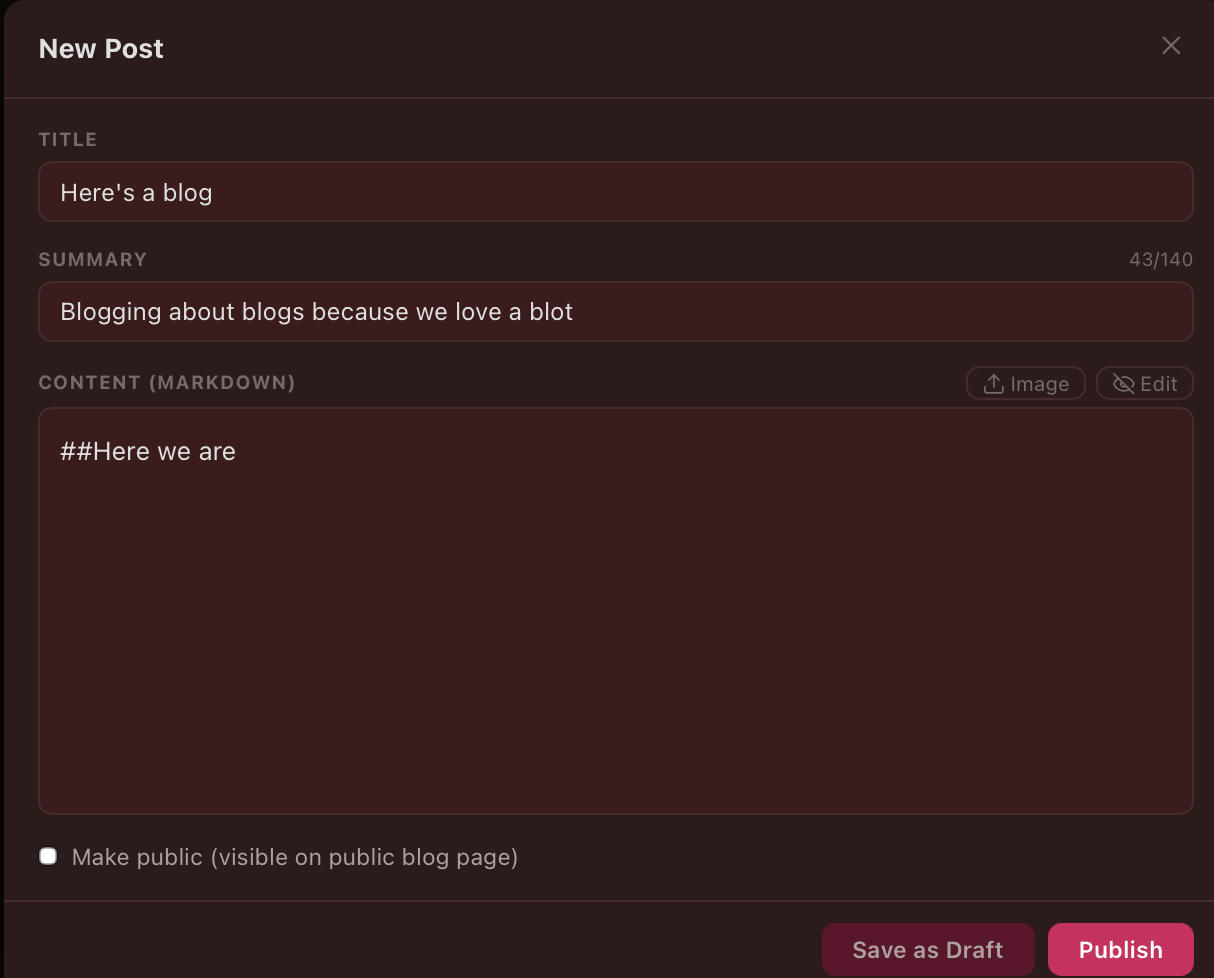
A built-in blogging system with a Markdown editor, inline image uploads, live preview, and a draft/publish workflow. Posts can individually be made public for the external blog web view.
Newsletters
A full email newsletter system built into the platform. Space admins can compose newsletters using a block editor (rich text, images, image galleries, pull quotes, section headings, embeds, and dividers), then publish to subscribers via email.
Features:
- Block editor — visual composition with live preview
- Email delivery — sends via SMTP (SES) with automatic batching
- Subscriptions — both authenticated (logged-in users) and anonymous (email-only) subscribers
- Digest scheduling — subscribers choose immediate delivery, daily digest, or weekly digest
- Open & click tracking — per-newsletter analytics with pixel tracking and link wrapping (toggleable per space)
- Public archive — published newsletters can be made public for a web-viewable archive
- Personal newsletters — users can also publish their own newsletters from their profile, independent of any space
URL: app.crab.ac/newsletter/your-space-slug
Automation & Workflows
The workflow engine lets space admins automate repetitive tasks using a trigger-condition-action framework. No code required — workflows are configured through a visual editor in Space Settings.
How It Works
Every workflow has three parts:
- Trigger — the event that starts the workflow
- Conditions (optional) — rules that must be true for the workflow to proceed
- Actions — what happens when the trigger fires and conditions pass
Conditions support nested AND/OR logic with negation, so you can build complex rules like "message contains 'ride' AND user has role 'Member' AND channel is #general".
Trigger Types
| Trigger | Fires When | Example Use |
|---|---|---|
| Member Joined | A new member joins the space | Welcome message, auto-assign roles |
| Message Created | A message is sent in any channel | Auto-moderation, keyword routing |
| Image Uploaded | A message contains image attachments | Auto-copy photos to a gallery channel |
| GPX Uploaded | A message contains .gpx file attachments | Auto-import routes to the route library |
| Slash Command | A custom command is invoked | User-triggered actions with arguments |
| Card Interaction | A member clicks a button or submits a card form | Approval flows, polls, signups |
| Webhook | An external service hits the space's webhook URL | Strava activity posting, payment confirmations |
Action Types
| Action | What It Does |
|---|---|
| Send Message | Post a message to a specific channel (supports {{variable}} interpolation) |
| Send Admin Message | Post a message to the space's admin channel |
| Add Role / Remove Role | Manage member roles automatically |
| Copy Images to Gallery | Copy image attachments from a message to a gallery channel |
| Copy Routes to Library | Import GPX files from a message into a route library channel |
| Show Card | Display an interactive card with buttons and form fields |
| Update Card / Dismiss Card | Modify or remove an active card |
| Send Webhook | POST data to an external URL |
Real-World Examples
Welcome Flow with Role Assignment
Trigger: Member Joined Condition: Invite code is "BIKECLUB2026" Actions:
- Send message to #welcome: "Welcome {{displayName}}! Check out #routes for local rides and #calendar for upcoming group rides."
- Add role: "Verified Member"
New members who join via a specific invite link get a personalized welcome message and automatic role assignment. Members who join via a different invite or the public directory get a different flow (or no flow at all).
Auto-Route Library from Chat
Trigger: GPX Uploaded Condition: Channel is #ride-reports Actions:
- Copy routes to library (target: #routes channel)
- Send message to #ride-reports: "Route saved to the library!"
When someone shares a GPX file in the ride reports channel, it's automatically imported into the route library with parsed stats. No manual re-upload needed.
Photo Gallery Auto-Populate
Trigger: Image Uploaded Condition: Channel is #race-day Actions:
- Copy images to gallery (target: #photos gallery)
Race day photos shared in chat automatically appear in the media gallery, building a curated photo collection without anyone having to upload twice.
Strava Activity Feed via Webhook
Trigger: Webhook (slug:
strava) Condition: Webhook payloadobject_typeequalsactivityActions:
- Send message to #ride-reports: "New activity from {{payload.owner_id}}: {{payload.object_id}}"
Connect Strava's webhook API to your space's webhook URL. When a club member completes an activity, it posts automatically to chat.
Event RSVP Approval Card
Trigger: Slash Command (
/request-ride) Condition: None Actions:
- Show card in #ride-requests (template: "Ride Request" with Approve/Deny buttons and a "Route" select field)
Members use /request-ride to submit a request. An interactive card appears with the request details. Admins click Approve or Deny, which triggers a follow-up workflow to assign roles or send a confirmation message.
Custom Command with Arguments
Trigger: Slash Command (
/announce) Arguments:channel(type: channel),message(type: text) Actions:
- Send message to
{{args.channel}}: "Announcement: {{args.message}}"- Send admin message: "{{displayName}} posted an announcement to {{args.channel}}"
Authorized members can broadcast announcements to any channel with a slash command, with an audit trail in the admin channel.
Incoming Webhooks
Each space can enable webhooks in admin settings, which generates a unique secret URL:
POST https://app.crab.ac/api/webhooks/<secret>/<slug>
The <slug> is a free-form path segment you choose — it shows up in workflow conditions as webhookSlug, so you can route different external services to different workflows using the same secret. The JSON body is available as payload.* variables in actions.
Custom Slash Commands
Commands are defined in Space Settings > Workflows > Commands. Each command has a name, description, and optional typed arguments. When invoked, the command fires a slash_command trigger that workflows can listen for.
Arguments support types: text, number, user, channel, role, boolean. The slash command palette shows argument prompts with autocomplete for user/channel/role types.
Interactive Cards
Cards are rich embedded UI elements that workflows can post into channels. A card has:
- A title and optional body (both support
{{variable}}interpolation) - Fields — form inputs (text, select, role/user/channel pickers) that members can fill in
- Buttons — clickable actions (primary, secondary, danger styles) that trigger follow-up workflows
Cards enable multi-step flows like approvals, polls, signups, and data collection — all within the chat interface.
Moderation & Safety
Reports
Users can report messages, DM messages, gallery photos, routes, and forum posts. Reports include the content preview and are visible to space admins in the Reports tab of Space Settings. Admins can resolve or dismiss reports.
When a report is submitted for content in a space, a system message is posted to the space's admin channel for visibility.
Space Bans
Space admins with the Manage Members permission can ban users from a space. Banned users are removed from the space and prevented from rejoining via invite or public join. A system message is posted to the admin channel when a ban is issued.
Global App Bans
Platform administrators can globally ban users, which suspends their account across all spaces and prevents any authenticated API access.
User Blocks
Any user can block another user. Blocking:
- Hides the blocked user's messages in channels and DMs
- Prevents the blocked user from initiating DMs
- Removes any existing friendship between the two users
Content Moderation via Workflows
The workflow system can be used for automated content moderation:
Trigger: Message Created Condition: Message contains banned keyword AND user does NOT have role "Moderator" Actions:
- Send admin message: "Flagged message from {{username}} in #{{channelName}}: {{messageContent}}"
Public Web Presence
Not everything belongs behind a login. crab.ac lets spaces selectively expose content to the public internet through dedicated, clean web views — each toggleable independently from Space Settings.
Public Boards (Forums)
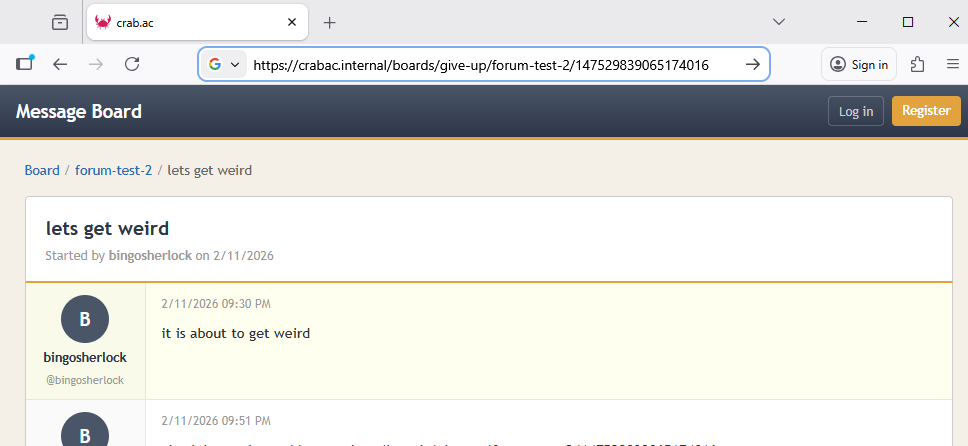
Forum channels can be marked as public to create an external-facing discussion board. Visitors can browse threads and posts without an account (if anonymous browsing is enabled), and register for a lightweight board-only account to participate.
URL: app.crab.ac/boards/your-space-slug
Public Galleries
Media gallery channels can be made public, providing a browsable photo/video gallery on the web.
URL: app.crab.ac/gallery/your-space-slug
Public Route Library
Route library channels can be made public, creating a browsable route catalog. The default view aggregates routes across all public route libraries in the space with filtering by activity type, category, and search.
URL: app.crab.ac/routes/your-space-slug
Public Calendar
The community calendar can be exposed as a read-only public web page. Individual events are marked as public or private — only public events appear on the web view. Public calendars also provide an ICS feed for subscribing in external calendar apps.
URL: app.crab.ac/calendar/your-space-slug
ICS feed: app.crab.ac/api/boards/calendar/your-space-slug/feed.ics
Public Blog
Blog posts can individually be made public for an external blog page with full Markdown rendering. Public blogs include an RSS 2.0 feed for subscribing in feed readers.
URL: app.crab.ac/blog/your-space-slug
RSS feed: app.crab.ac/api/boards/blog/your-space-slug/feed.xml
Public Newsletter
Published newsletters can be made public for a web-viewable archive. Anonymous visitors can subscribe by email directly from the public page (if enabled).
URL: app.crab.ac/newsletter/your-space-slug
Cross-Page Navigation Bar
When a space has multiple public features enabled, all public pages automatically show a navigation bar linking between them (Boards, Gallery, Routes, Calendar, Blog, Newsletter). Admins can:
- Hide features from the navbar — keep a feature's public URL working but remove it from the navigation (e.g. hide the gallery link while keeping the gallery accessible at its URL)
- Add custom external links — add links to the space's main website, social media, or any other URL; these open in a new tab with an external-link indicator
The navbar only appears when there's more than one visible feature or at least one custom link.
Single-Item Auto-Redirect
When a space has only one public forum or gallery channel, visitors are automatically redirected to the content instead of seeing a listing page with a single item.
Configuration
Each public component is controlled by its own toggle in admin settings:
- Enable Public Boards — exposes forum channels marked as public
- Enable Public Galleries — exposes media gallery channels marked as public
- Enable Public Routes — exposes route library channels marked as public
- Enable Public Calendar — exposes events marked as public
- Enable Public Blog — exposes blog posts marked as public
- Enable Public Newsletter — exposes newsletters marked as public
- Allow Public Newsletter Subscription — lets anonymous visitors subscribe by email
- Allow Anonymous Browsing — controls whether visitors need to log in to view public content
- Navigation Bar — per-feature toggles to show/hide each feature in the cross-page navbar
- Custom Navigation Links — external links added to the navbar (max 20)
Cross-Community: Portals
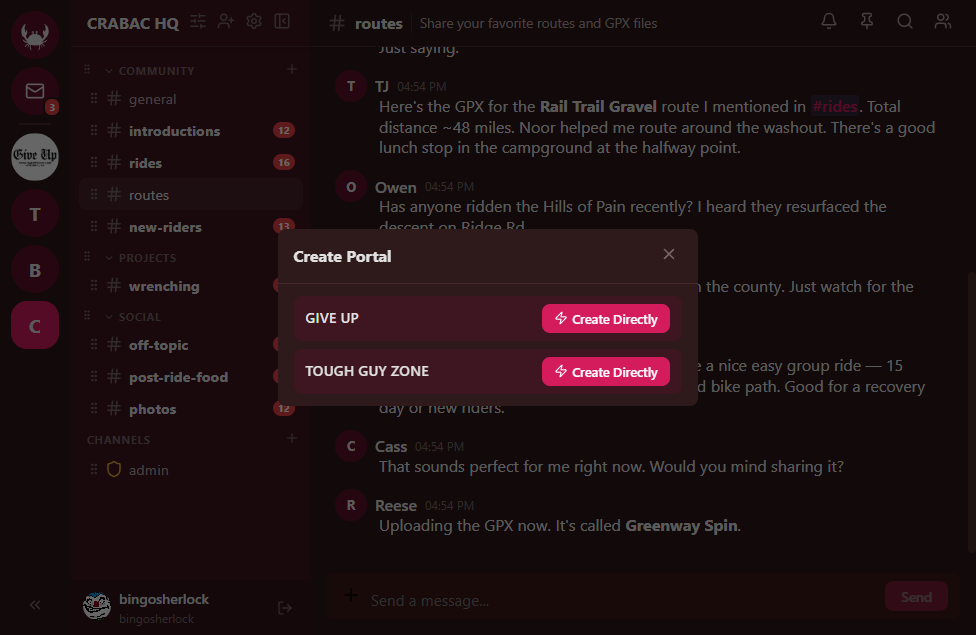
Portals allow two or more completely independent spaces to share a single channel between them. Messages sent in one space appear in the others, and vice versa. This works for any channel type — text channels, media galleries, and route libraries can all be portaled.
A single channel can be portaled into multiple spaces simultaneously. For example:
- A city cycling coalition portals a single route library into five different club spaces — every group curates and benefits from the same collection of local routes
- A running club and a cycling club portal a shared media gallery for race day photos — members of either group upload to the same gallery without joining both spaces
- A neighborhood association and the local parks department portal a
#park-projectschannel for public collaboration while keeping internal discussions private
Portals can be created directly (if you have permission in both spaces) or proposed via a portal invite that the target space's admins can accept or reject.
Built for Outdoor Communities
While crab.ac works for any kind of community, its feature set has deep support for outdoor activity groups. Here's how the pieces fit together for an outdoor activity community:
Route Sharing as a First-Class Feature
GPX files aren't just attachments — they're parsed, mapped, and indexed. Upload a ride to chat and it renders as an interactive map card. Save it to the route library and it's searchable by distance, elevation, activity type, and flatness score. Link it to a calendar event and it shows up on the event card with a map preview.
From Chat to Calendar to Route to Ride
The typical flow for organizing a group ride:
- Someone shares a GPX file in
#ride-ideas— a workflow auto-imports it to the route library - An admin creates a calendar event linked to that route — the event inherits the route's metadata
- Members RSVP (going/maybe/not going) — counts show on the event card
- Ride day: photos go to
#ride-day— a workflow auto-copies them to the media gallery - The public calendar shows the event, the public gallery shows the photos, the public route library has the route
Public Presence for Community Outreach
A bike club can maintain a professional public web presence entirely within crab.ac:
- Public calendar for upcoming group rides and events
- Public route library for recommended local routes
- Public gallery for ride photos and event coverage
- Public blog for ride reports, gear reviews, and community news
- Public forums for open discussion
- Newsletter for weekly ride roundups and announcements delivered to subscribers' inboxes
All of this is managed from the same interface where members chat, with a unified navigation bar linking between all public pages — no separate website needed.
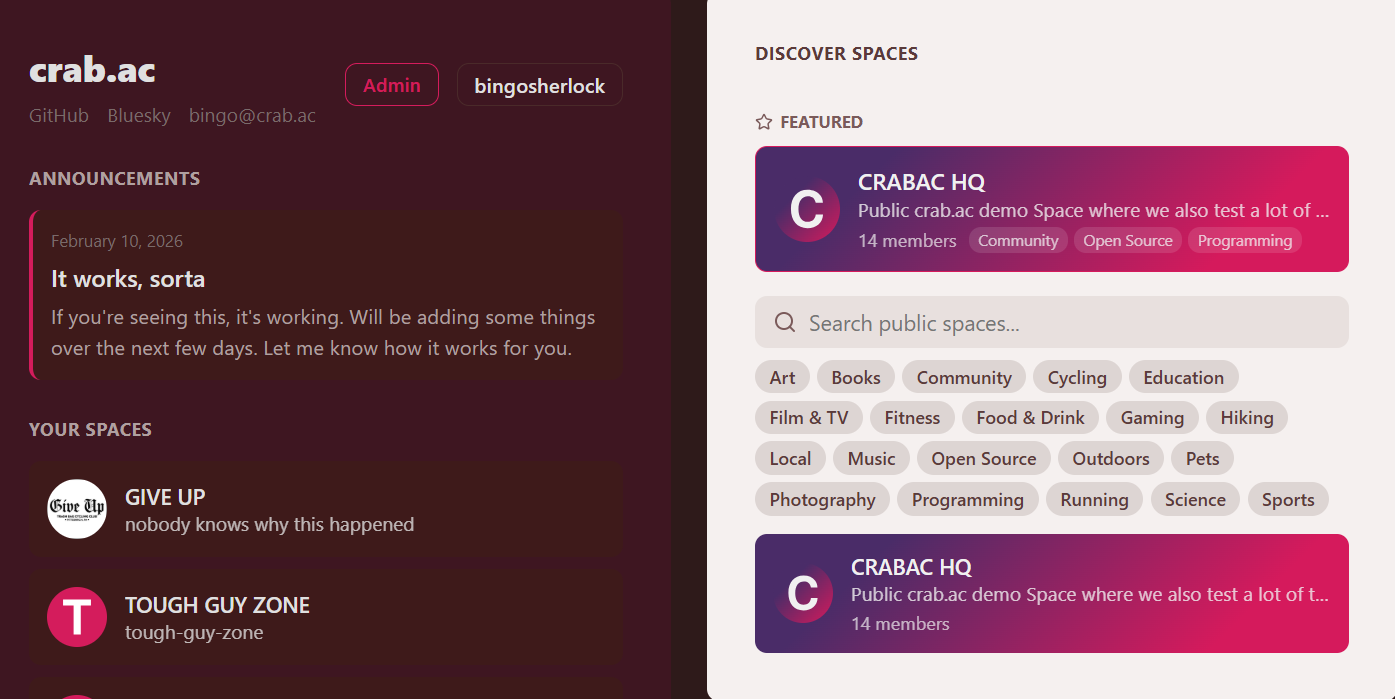
Public Spaces & Directory
Spaces can be made public, allowing anyone to discover and join them from the "Discover Spaces" directory on the home screen. Public spaces support:
- Tag-based filtering — spaces can add up to 10 tags for discoverability
- Featured spaces — highlighted at the top of the directory by platform admins
- Custom branding — base color, accent color, and text color that render as gradient cards
- Guest access — optional email verification requirement for public joiners
User Branding & Gradient Avatars
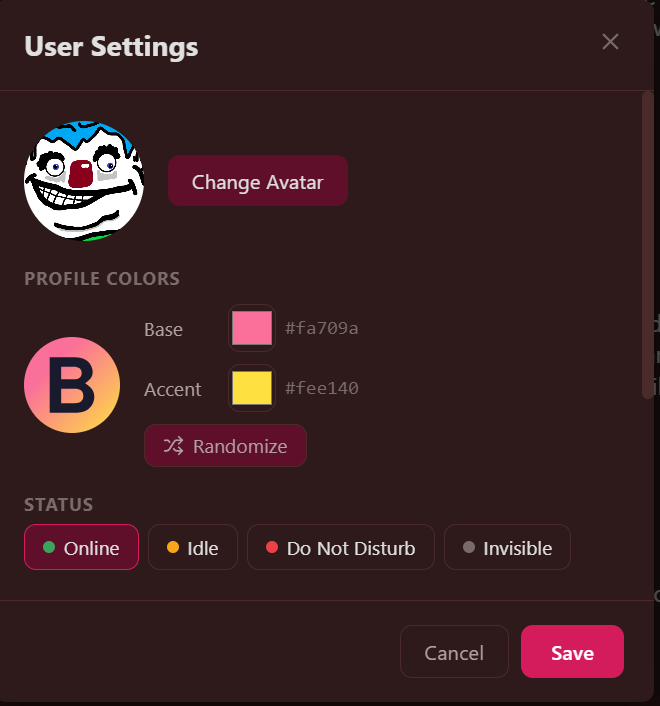
Every user gets a personal color palette (base + accent) that renders as a gradient background on their default avatar. Colors are randomly assigned at registration and can be customized in User Settings.
Client Status
| Platform | Status |
|---|---|
| Web (desktop) | Stable — full-featured client |
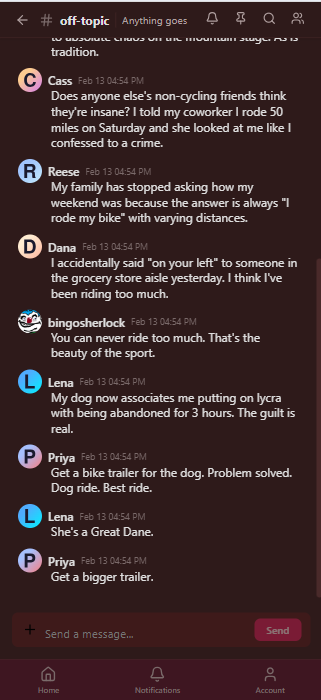
| Web (mobile) | Responsive layout with bottom tab bar, fixed message input, mobile-optimized pages |
| Desktop (Electron) | Cross-platform builds (Windows, macOS, Linux) with auto-updater, tray icon, minimize-to-tray |
| Native mobile | In testing — OTA bundle updates managed from the admin panel |
Tech Stack
- Frontend: React 19, Vite, Zustand, Socket.io Client, MapLibre GL
- Backend: Express, TypeScript, Knex, MySQL, Redis, Socket.io
- Shared: Zod validation schemas, TypeScript types, permission bitfields
- Desktop: Electron with electron-builder, auto-updater
- Mobile: OTA bundle delivery with SHA-256 integrity verification
- Infrastructure: Caddy with Coraza WAF (OWASP CRS), Cloudflare Tunnels
Installation
Prerequisites
- Node.js 20+
- pnpm 9+
- MySQL 8+
- Redis 7+
Quick Start
git clone https://github.com/cmactaggart/crabac.git
cd crabac

# Install dependencies
pnpm install

# Set up the database
mysql -u root -e "CREATE DATABASE crabac; CREATE USER 'crabac'@'localhost' IDENTIFIED BY 'crabacpass'; GRANT ALL ON crabac.* TO 'crabac'@'localhost';"

# Copy and edit environment config
cp .env.example packages/api/.env
# Edit packages/api/.env with your SMTP credentials, JWT secret, etc.

# Run database migrations
pnpm db:migrate

# (Optional) Seed with sample data
pnpm db:seed

# Build the shared package
pnpm --filter @crabac/shared run build

# Start development servers
pnpm dev
The web client will be available at http://localhost:5173 and the API at http://localhost:3001.
SMTP Configuration
crab.ac sends email for account verification, magic link login, password resets, and newsletter delivery. Configure these values in packages/api/.env:
SMTP_HOST=email-smtp.us-east-1.amazonaws.com
SMTP_PORT=587
SMTP_USER=your-smtp-username
SMTP_PASS=your-smtp-password
SMTP_FROM=Your App <[email protected]>
Heads up: Most residential ISPs and many cloud providers block outbound SMTP traffic by default. Rather than fighting your ISP, use a commercial SMTP provider:
- Amazon SES — cheap, reliable, requires domain verification
- Resend — developer-friendly, generous free tier
- Postmark — great deliverability, straightforward setup
- Mailgun, SendGrid — established options with free tiers
SMTP is not optional. New users must verify their email before they can log in. Make sure your SMTP credentials are configured and working before inviting anyone.
Admin Access
Admin access is controlled by a comma-separated list of email addresses in your .env:
[email protected],[email protected]
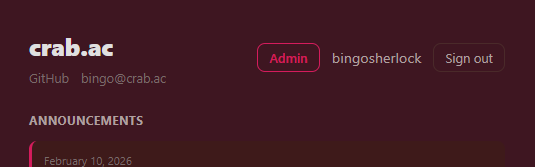
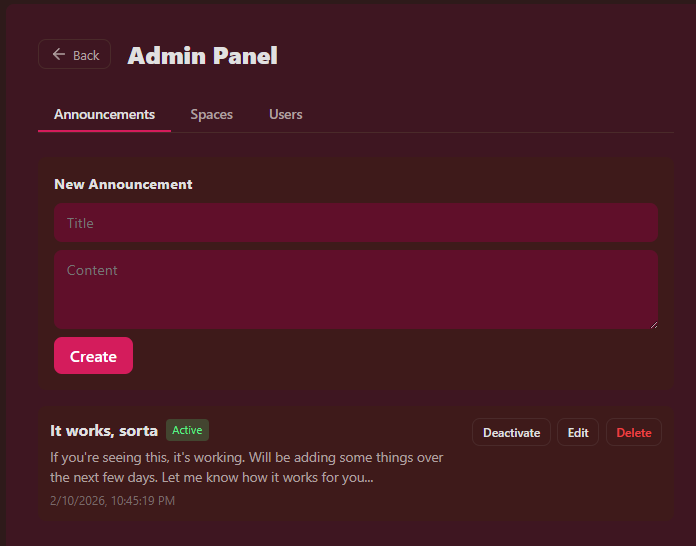
Any registered user whose email matches this list gets an Admin button on the home screen. The admin panel provides user management, space management, system announcements, global bans, and global report moderation.
Production Deployment with Caddy + Cloudflare Tunnels
For production deployments, we recommend a setup that avoids exposing any public ports on the host machine:
Caddy with Coraza WAF runs on a local-only port (e.g.,
:3030) and reverse-proxies to the API and frontend. The includedinfra/Caddyfileconfigures OWASP Core Rule Set for request filtering and routes Socket.io traffic around the WAF.Cloudflare Tunnel (
cloudflared) connects your domain to the local Caddy port without opening any inbound ports.
Internet -> Cloudflare Edge -> cloudflared tunnel -> Caddy (:3030, WAF) -> Express API (:3001)
                                                                        -> Vite Dev (:5173)
This gives you:
- No exposed ports — the server has no public-facing listeners
- DDoS protection from Cloudflare's edge network
- WAF via Coraza with OWASP CRS anomaly scoring
- TLS termination at Cloudflare
# Install cloudflared
# See: https://developers.cloudflare.com/cloudflare-one/connections/connect-networks/

# Create a tunnel pointing to your Caddy port
cloudflared tunnel create crabac
cloudflared tunnel route dns crabac app.yourdomain.com

# Build Caddy with Coraza WAF plugin
xcaddy build --with github.com/corazawaf/coraza-caddy/v2

# Run Caddy
./caddy run --config infra/Caddyfile

# Run cloudflared as a service
sudo cloudflared service install
Security
- Email verification and magic link login
- TOTP two-factor authentication with QR code setup and backup codes
- JWT access + refresh token auth with automatic client-side refresh
- Rate limiting on auth, public, and webhook endpoints
- Web Application Firewall (Coraza/OWASP CRS) in the default deployment config
- Content Security — uploaded non-image files forced to download,
X-Content-Type-Options: nosniffheaders - Ban enforcement — global and space-level bans enforced at the middleware layer
- Block filtering — blocked users' messages hidden from all listings
- SSRF protection — outgoing webhook actions block private IP ranges
- Newsletter tracking opt-out — open/click tracking is toggleable per space in admin settings
API Documentation
See docs/api.md for the complete REST API reference (v0.14.1), including all endpoints, request/response formats, WebSocket events, and permission requirements.
License
MIT - Copyright (c) 2025-2026 The crab.ac Contributors