New automation tools (and moderation, too)
Bingo · February 21, 2026
Brief look into the new workflow engine and moderation features in crab.ac
I'm going to preface this by mentioning I've been building automations and the systems to support them for a while. If you write enough "if X = Y then Z" code blocks, eventually you start wanting for something a bit more reusable.
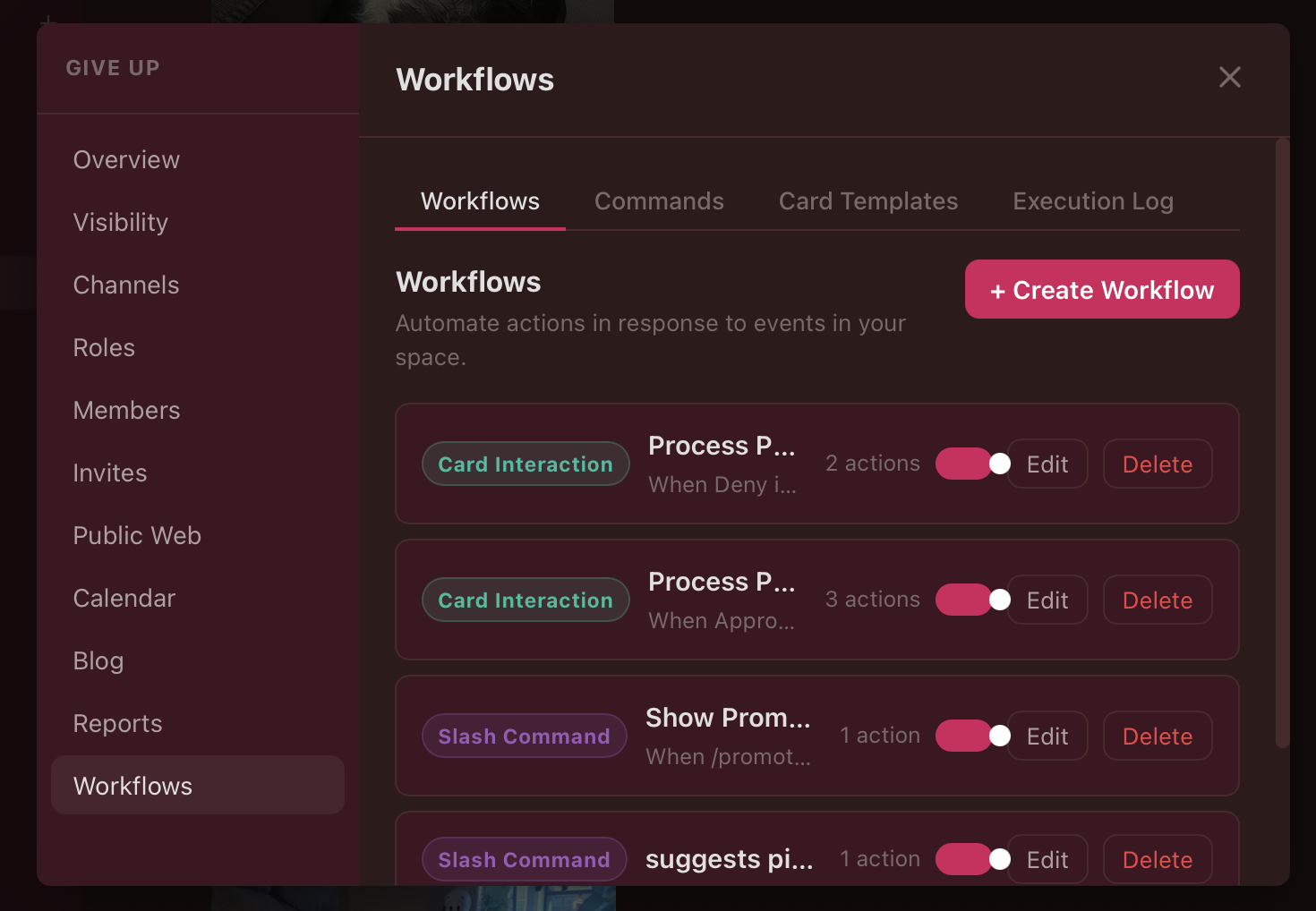
At the core of the crab.ac workflow engine is a trigger-condition-action framework that is made to allow complex automation with slightly-less-than-complex setup. Basically the idea is when a trigger happens, the workflow engine will look to see if conditions are met, and if they are then action happens.
Triggers can include actions like "if a user joins a Space" or "if a button is pushed" or "if an image is uploaded to a channel" or any number of events that can be recognized by the engine.
Conditions are basically anything that can be evaluated, compared, or just sorta looked at with logic. "If the user posting an image is an Admin" or "If today is Tuesday" are examples. These can get paired together with AND or OR operators so you can get pretty granular and weird with your conditions. If the conditions you define are met, that takes us to "Actions"
Actions are, well, actions that you want to occur when the trigger happens and certain conditions are met. This can be things like "Post a message to a channel" or "Set a user's role" or even "Display and interactive card with buttons on it." There are a few options here.
Combining a trigger with a condition and an action into one "If X happens and Y is true than do Z" statement is what we call a Workflow Rule. It is very powerful and useful for automation.
To help make this new workflow engine more useful, I added two more concepts - commands and card templates:
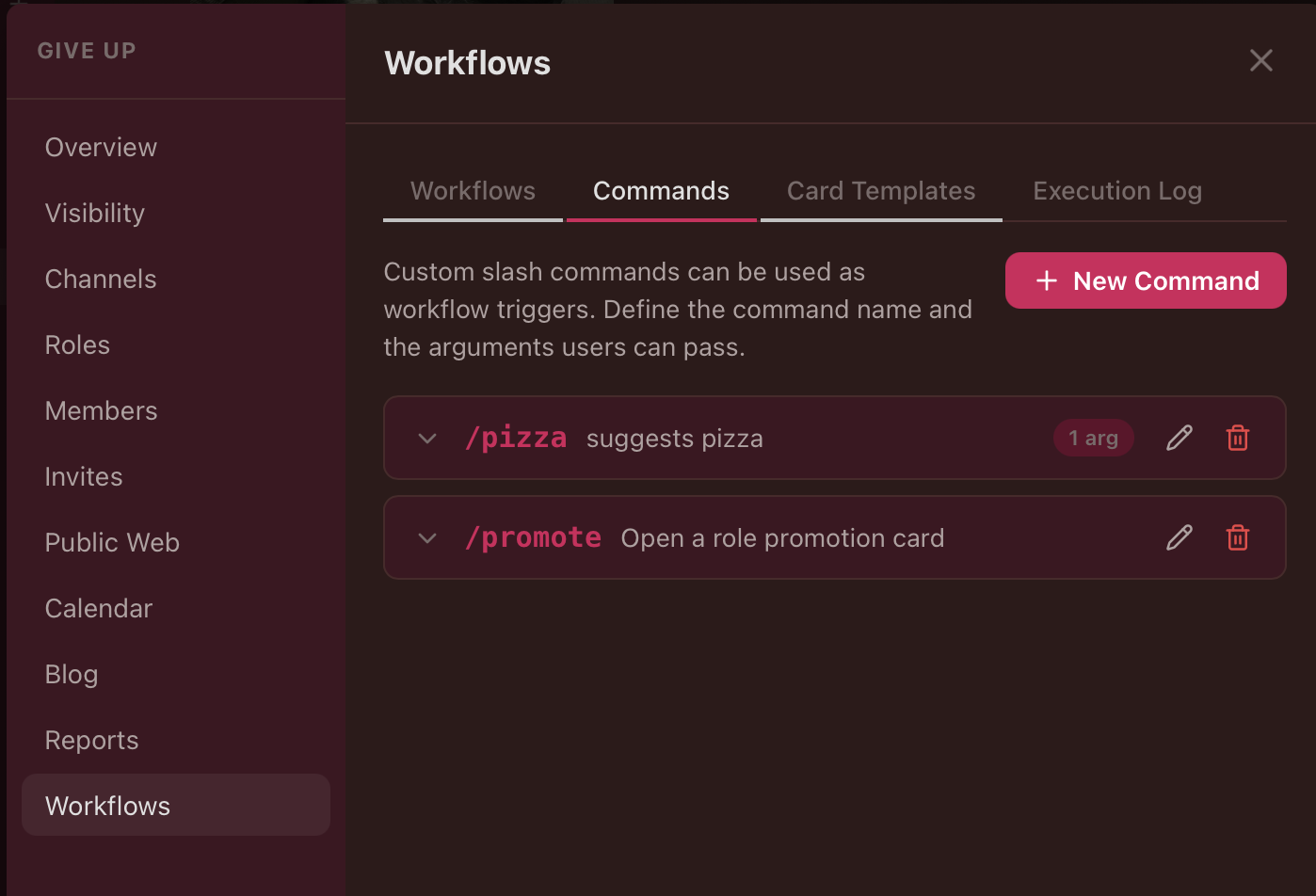
Commands are slash commands that you can register in the Workflows tab for use later with workflow rules. Registering a slash command like /pizza means you can use the /pizza command in the message bar as a trigger. You can pass arguments to it for processing by the condition block of the Workflow Rules, and ultimately have that result in an action. It's that simple.
Card templates are predefined templates for rendering interactive cards in channel:
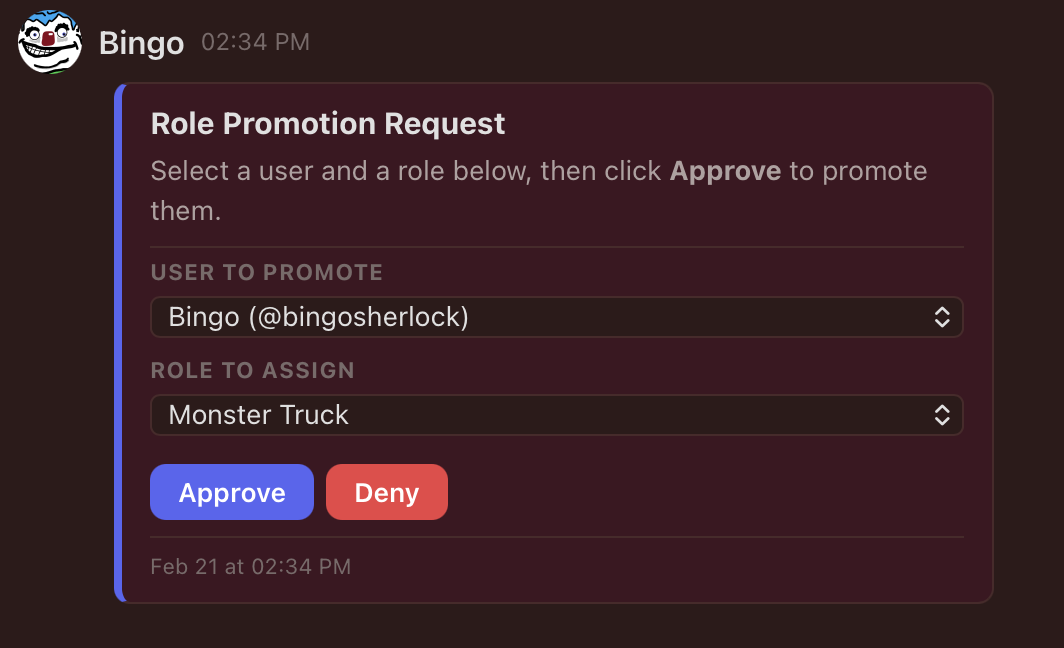
You register a card template in the "Card Templates" tab of the Workflows section of your admin menu, and then you can show the card as an Action or use the interaction with that card as a Trigger. You can use this as a building block for polls, quizzes, automatic role assignments, approval workflows, honestly probably a whole lot.
I am not looking forward to the amount of documentation (and necessary debugging I discover along the way) I'm going to have to do for the Workflow Engine, but it's a huge addition to the crab.ac functionality that significantly increases what you can do with it. Check it out.
I haven't even gotten into Webhooks yet, but if you what a Webhooks is, know that you can use inbound Webhooks as a Trigger in Workflow rules and you can use outbound Webhooks as Actions as well. I know there are infinite ways this can be useful and that we may need to iterate that functionality as well to cover more potential uses, but it's there to start playing with now.
While I'm here, I'll mention that I finally got around to adding a bunch of moderation and privacy functionality to crab.ac with more to come. There is broader support for kicks, bans, blocking other users, muting users, reporting content, and deleting content. There will be more coming in this regard, but we have a good start going.
Hopefully we'll see native mobile apps soon. I want to get past a couple milestones before I make them public. There is also an expansion of some community functionality coming that might be of interest to our running/cycling friends, and who knows what comes after that.
That's all for now
xoxo, bingo